Trusted by thousands of families
Nursing & feeding

A nursing timer that survives the rest of your phone.

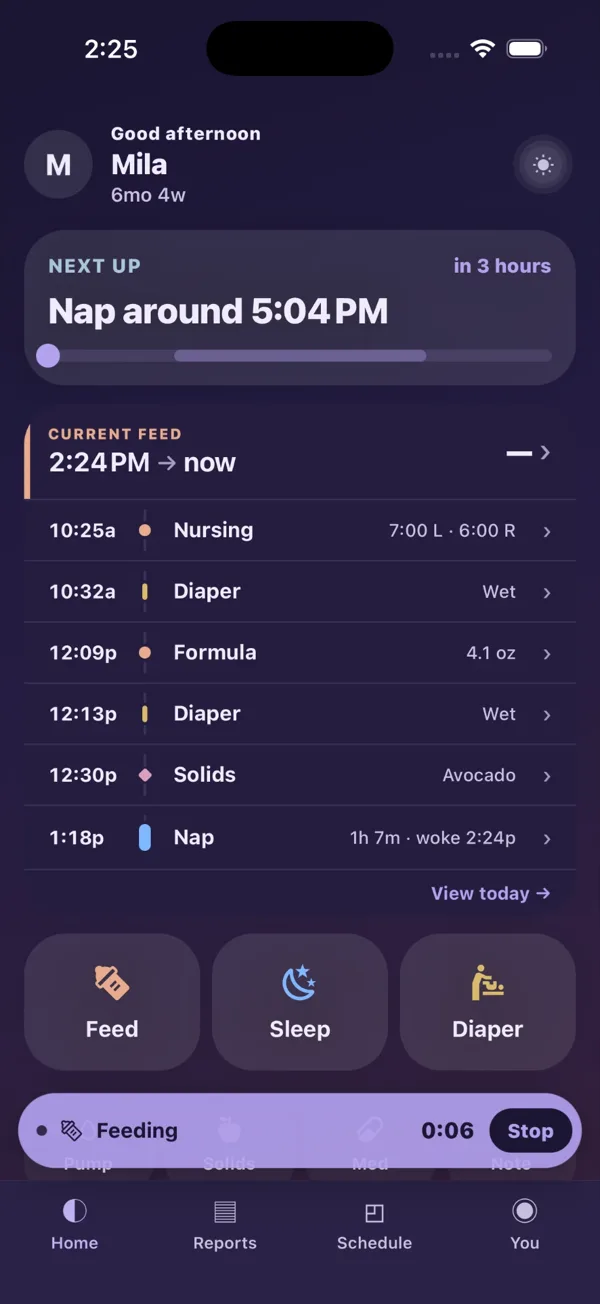
Most nursing timers stop being useful the moment you need your phone for something else. Cradle’s keeps running on the home screen — with the side it is on and a Stop button — until you end the feed.

7:00 L · 6:00 RLast feed, both sides
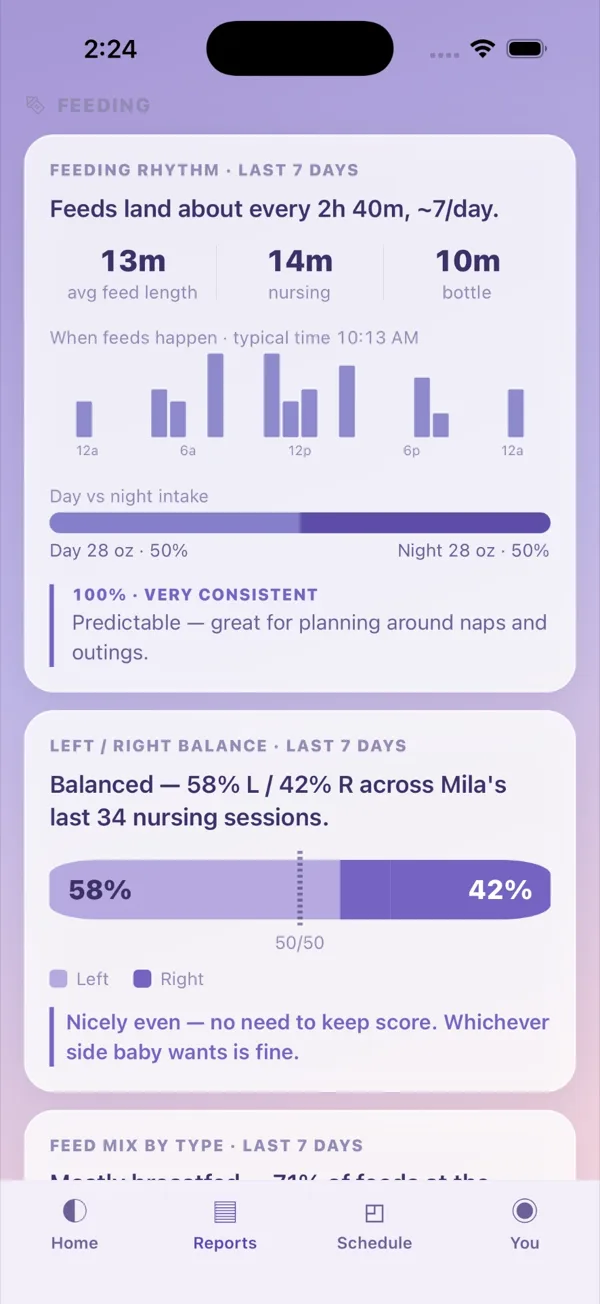
58% L / 42% RBalanced over 34 sessions
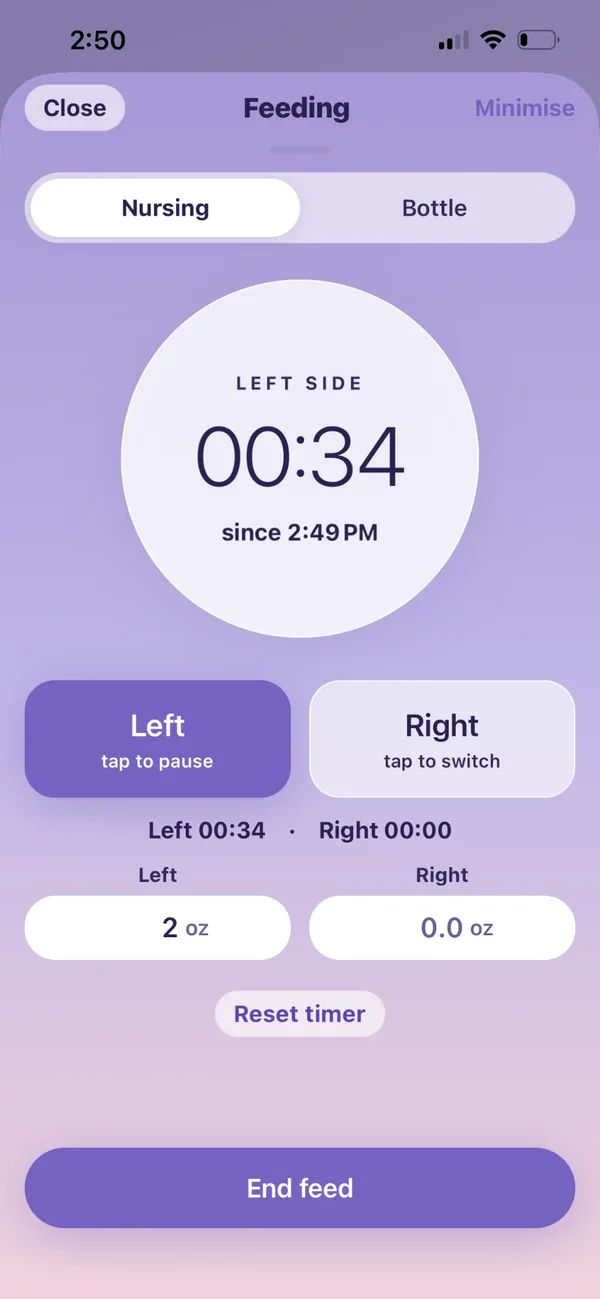
The Cradle nursing timer with the left side running, a button to switch to the right, and per-side ounce fields.
Cradle home screen held one-handed: Feed, Sleep and Diaper as three large buttons low on the screen, with a running feed timer and its Stop button pinned along the bottom edge.
One hand

Designed for one thumb, because the other arm is holding the baby.

Everything you reach for mid-feed sits in the bottom third of the screen. Nothing you need at 3am is parked up in a corner you would have to shift the baby to reach.

  • Feed, Sleep and Diaper are three large targets at thumb height — not a menu you have to go hunting through.
  • The running timer and its Stop button stay pinned along the bottom edge the whole time.
  • Starting a feed is one tap from the home screen. Stopping it is one more.
  • A utility first — but it should not look like a spreadsheet at 3am, so it doesn’t.
The timer

Left and right, timed separately.

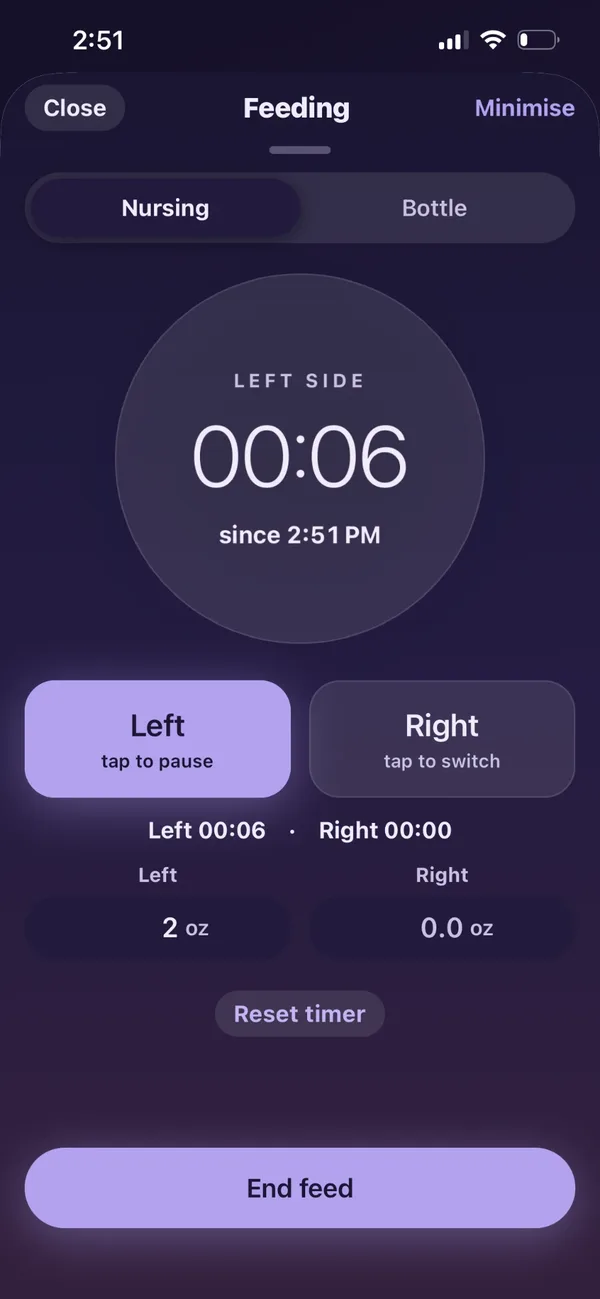
One tap starts the side you are on. Tap the other to switch and the first one pauses itself — you are never running two clocks or doing the subtraction later.

  • Per-side elapsed time, kept apart all the way through the feed.
  • Per-side ounces too, if you are weighing or pumping and want the detail.
  • Start time shown, so a feed you began before you opened the app still lands right.
Cradle nursing timer showing the left side at 34 seconds, buttons to pause the left or switch to the right, and per-side ounce fields.
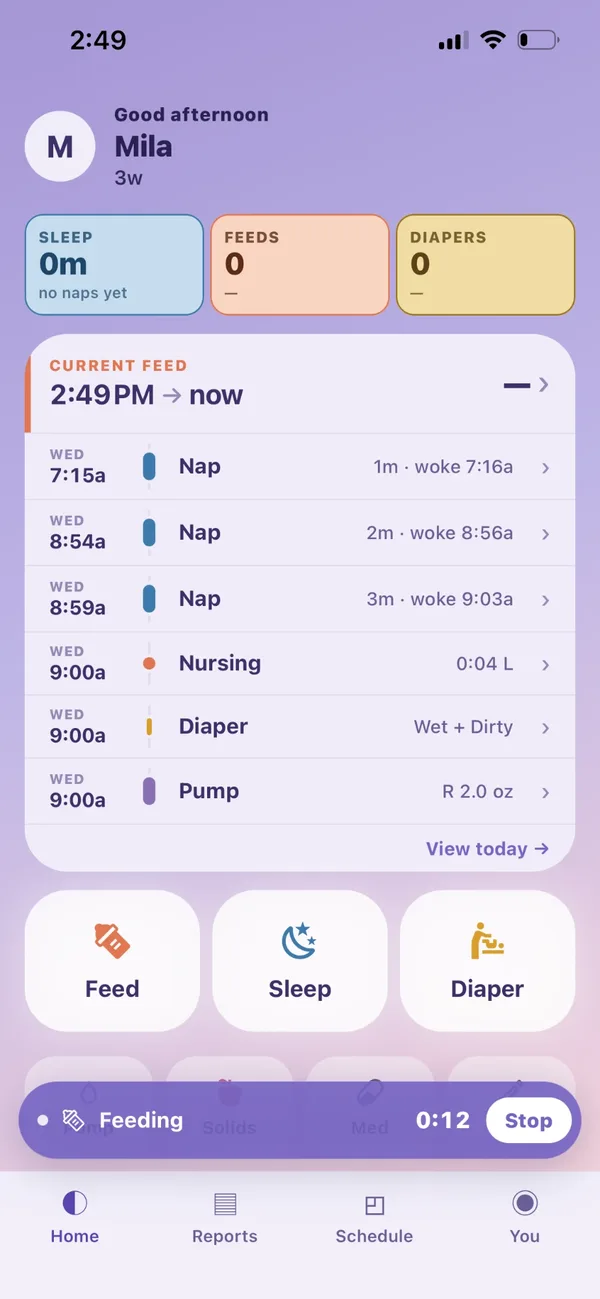
Cradle home screen with a running feed bar pinned at the bottom showing elapsed time and a Stop button, above today's log of naps, nursing, diaper and pump entries.
While it runs

Minimise it and it stays with you.

Tap Minimise and the feed collapses to a bar across the bottom of the home screen, still counting, with Stop right there. Check the time, answer a message, look at yesterday's log — the feed is still being timed.

Everything else keeps logging around it. Nursing, bottles, diapers and pumping all land on the same timeline, so the day reads in order rather than in categories.

Bottles

Expressed, formula and supplement are not the same thing.

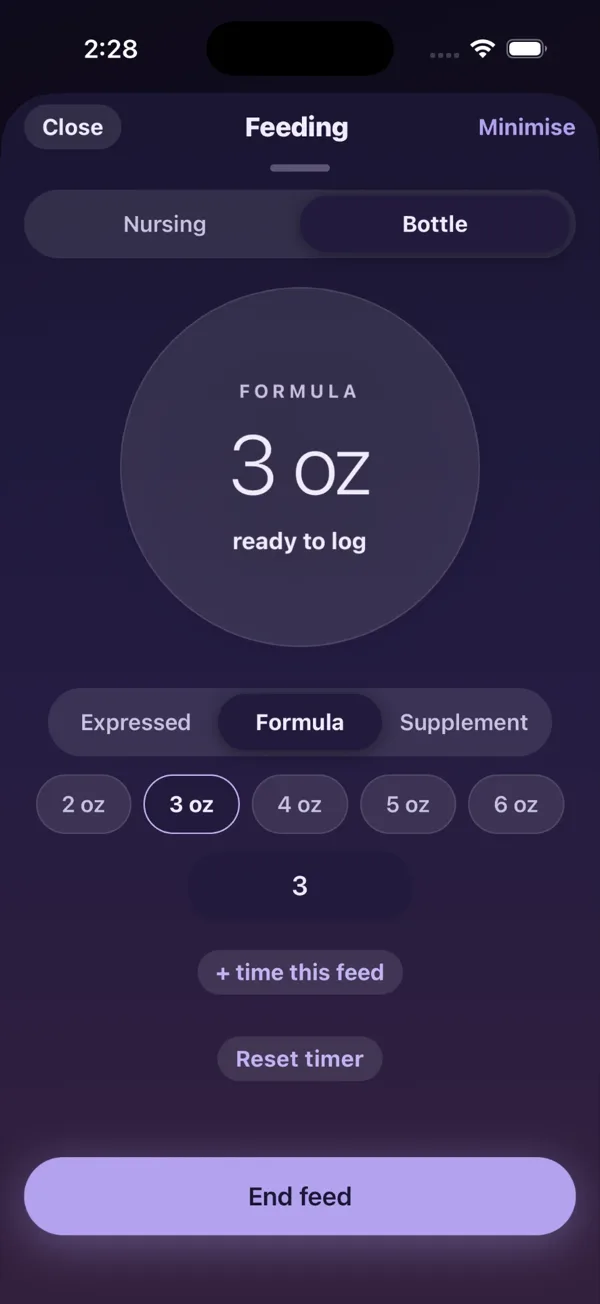
So Cradle does not log them as one. Switch to Bottle, tap which it was, and the amount is one more tap — two to six ounces as chips, or type an exact number.

  • Expressed milk, formula and supplement tracked as distinct types.
  • + time this feed adds a timer to a bottle when you want one.
  • Pumping logs beside it, left and right, in the same timeline.
The Cradle feeding sheet in dark mode, switched to Bottle: three ounces of formula ready to log, a segmented control for expressed, formula and supplement, one-tap chips from two to six ounces, and an End feed button across the bottom.
2am

Built for the feed you do in the dark.

About one in seven sleep logs in Cradle is written between midnight and 5am. The app is dark by default, the timer is one tap from the home screen, and the running bar means you are not hunting for anything with one hand full.

  • Dark by default — the screen is not a flashlight in a room you just got the baby down in.
  • Large type, high contrast, big targets. Readable with one eye open.
  • Every entry in today’s log opens with a tap, so a wrong time or amount is a few seconds to fix — not a menu hunt.
The Cradle nursing timer in dark mode, showing the left side running at six seconds.
Cradle feeding report showing feeds landing about every 2 hours 40 minutes at roughly 7 a day, average feed length 13 minutes, and a left/right balance bar reading 58 percent left and 42 percent right across the last 34 nursing sessions.
What it gives back

The log is the boring part. This is the point.

Every side you timed adds up to something. Cradle reads the last seven days back to you — how often feeds land, how long they run, and whether left and right are actually even.

  • A real left/right split across your last few dozen sessions, instead of a nagging feeling that you always start on the same side.
  • How far apart feeds land and how many a day — enough to plan an outing around.
  • Average feed length, with nursing and bottle counted separately.
  • Day against night, so you can see where the night feeds actually sit.
Breast and bottle

Mostly breastfed? Cradle tells you exactly how much.

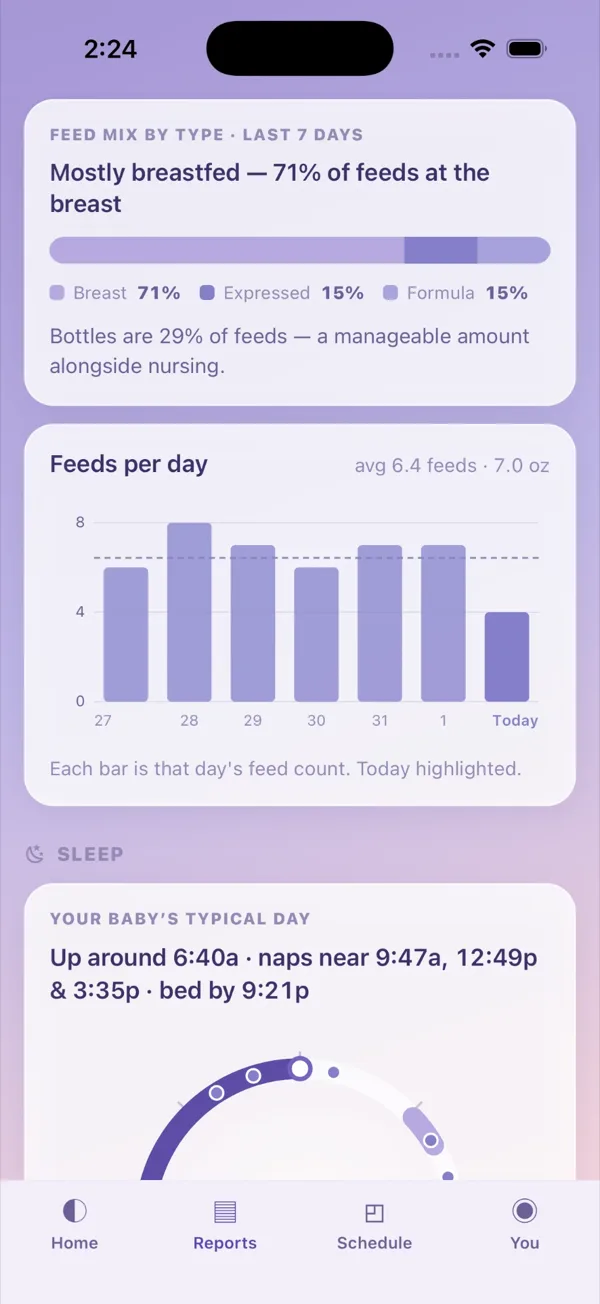
Because expressed, formula and supplement are logged as three different things, the mix comes back as a real split rather than a guess.

  • The share of feeds at the breast, with expressed and formula broken out beside it.
  • Feeds per day across the week with today marked, so a quiet day is obvious at a glance.
  • A plain-language line under every chart — what the number means, not just the number.
Cradle feeding report reading Mostly breastfed, 71 percent of feeds at the breast, with expressed at 15 percent and formula at 15 percent, above a bar chart of feeds per day for the last week.
Worth knowing

What Cradle will not do.

It will not tell you whether your baby is getting enough, and no app can. Intake, weight gain and supply are questions for your doctor, a lactation consultant or your health visitor — Cradle records what happened so you have something accurate to bring them, and nothing more than that.

Four taps tonight.
A real pattern by the weekend.

The timer keeps running when you put the phone down. Left and right stay separate. And after a few days the log stops being a list and starts being an answer — how often feeds land, how long they run, and whether the sides are even.